Node Types
Redline supports 14 specialized node types for organizing different kinds of information in your investigations. Each node type has unique fields, automatic enrichment features, and visual styling.
Quick Reference
| Node Type | Purpose | Auto-Enrichment |
|---|---|---|
| Note | General text notes | AI summaries |
| Event | Timestamped occurrences | Timeline integration |
| Actor | People and individuals | Wikipedia data |
| Organization | Companies and groups | Wikipedia data |
| Location | Geographic places | Map preview |
| Prediction | Hypotheses to verify | Confidence tracking |
| Document | File references | Content extraction |
| Media | Images and videos | OCR, AI analysis |
| Embed | Web page previews | OpenGraph metadata |
| Social | Social media posts | Platform metrics |
| Newsfeed | News articles | Article extraction |
| RSS Feed | Feed subscriptions | AI filtering |
| Narrative | Storyline groupings | Auto-summaries |
| Region | Visual grouping | - |
Note
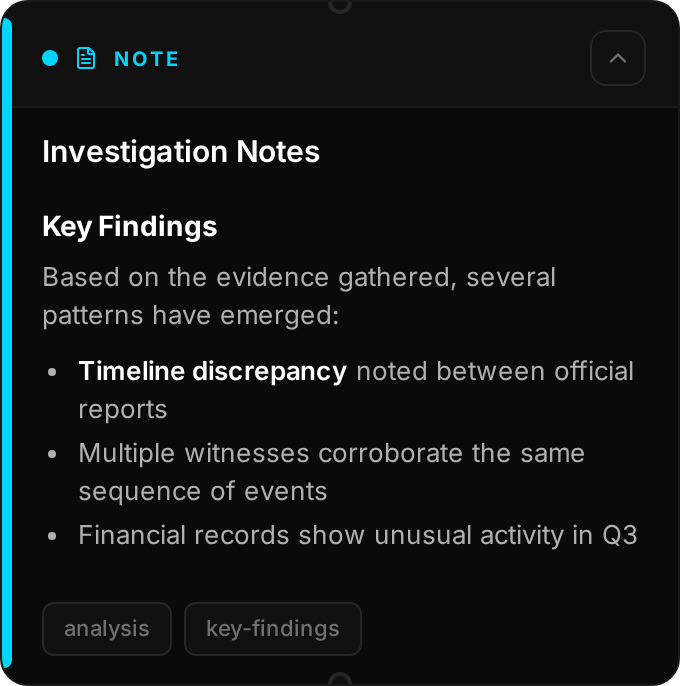
General-purpose text nodes for capturing any information. Notes support full Markdown formatting including headers, lists, bold, italic, and links.
Key Fields: Title, Content (Markdown), Tags
Features:
- Rich text editing with Markdown
- AI can generate summaries of long content
- Header images for visual context
Use For: Quick notes, analysis, observations, meeting notes, research summaries
Event
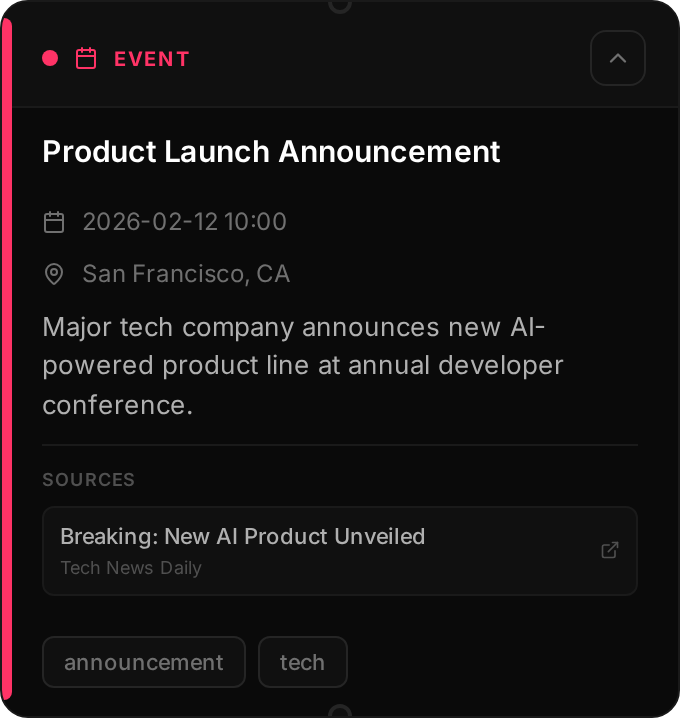
Timestamped events that appear in the Timeline view. Events are the backbone of chronological investigations, helping you track when things happened.
Key Fields: Title, Date/Time, Location, Description, Sources
Features:
- Appears on the Timeline view
- Can link to Location nodes
- Multiple source URLs with rich previews
- Significance levels (low, medium, high, critical)
Use For: Historical events, meetings, incidents, announcements, milestones
Actor

People and individuals involved in your investigation. Actors can represent real people, pseudonyms, anonymous sources, or any individual entity.
Key Fields: Name, Type, Description, Aliases, Wikipedia URL
Auto-Enrichment:
- Wikipedia summary and thumbnail automatically fetched
- Profile photos from linked social accounts
Use For: People, pseudonyms, public figures, witnesses, journalists, sources
Organization
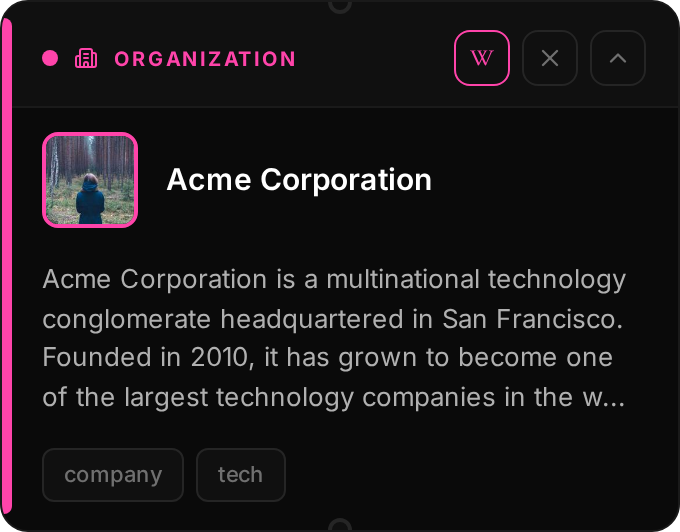
Companies, groups, agencies, and other organizations. Organizations can be linked to Actor nodes to show membership and affiliations.
Key Fields: Name, Type, Description, Wikipedia URL
Auto-Enrichment:
- Wikipedia summary and logo
- Organization details and founding info
Use For: Companies, government agencies, NGOs, media outlets, political parties
Location
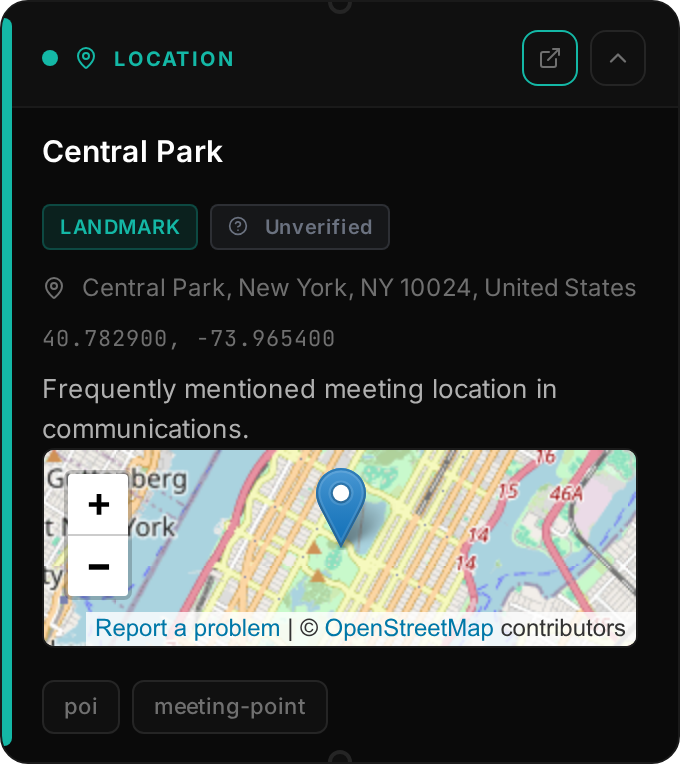
Geographic locations with coordinates. Locations appear on the Map view and can be linked from Event nodes.
Key Fields: Name, Coordinates, Address, Type
Features:
- Interactive map preview
- Can be linked from Events
- Verification method tracking
Use For: Cities, addresses, venues, landmarks, incident locations
Prediction
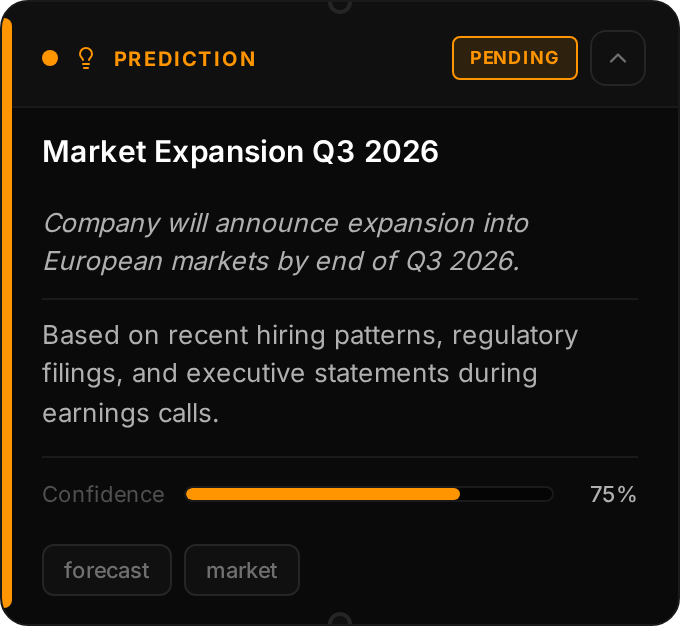
Hypotheses and predictions to track and verify over time. Predictions help you formalize analytical assessments and track their accuracy.
Key Fields: Title, Confidence (0-100%), Timeframe, Status, Reasoning
Features:
- Track confidence levels over time
- Mark as verified or disproven
- Document reasoning and resolution
Use For: Hypotheses, forecasts, analytical assessments, intelligence estimates
Document
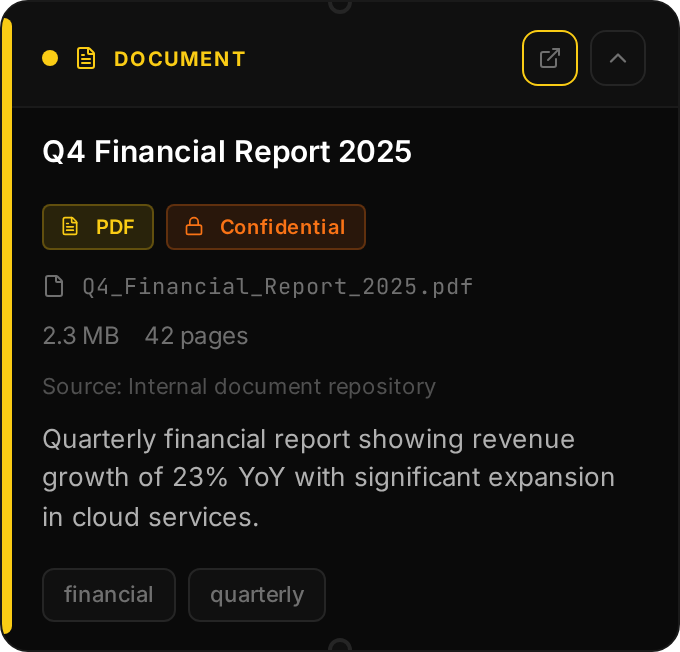
References to files and documents stored locally. Documents are copied into Redline's data folder for permanent archival.
Key Fields: Title, File, Classification, Document Type, Source
Features:
- Files stored locally for offline access
- Classification tracking for sensitivity
- Text extraction for search
Use For: PDFs, reports, leaked documents, official records, court filings
Media PRO
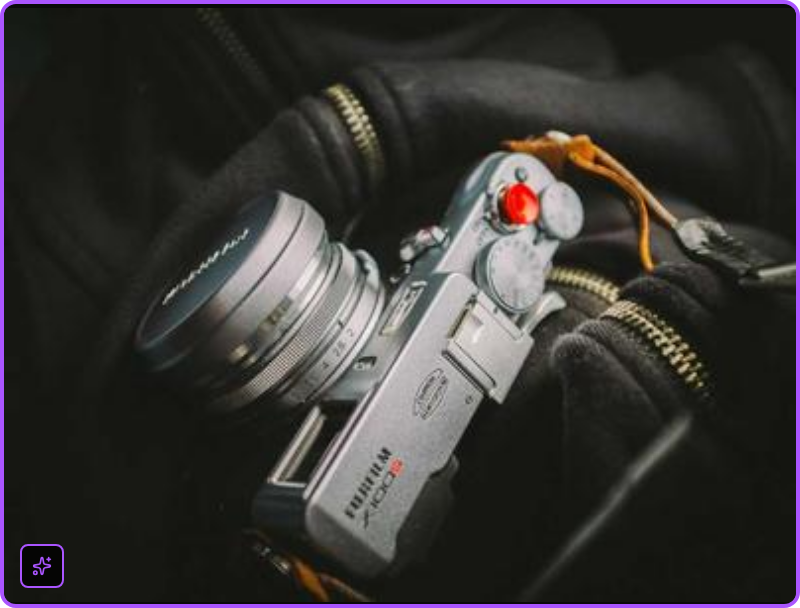
Images and videos with AI analysis capabilities. Media nodes display visual content directly on the canvas and can be resized.
Key Fields: Title, File/URL, Caption, Source
Features (Pro):
- OCR - Extract text from images
- AI Analysis - Describe contents, identify entities
- Video playback with thumbnails
- Lightbox for full-size view
Use For: Photos, screenshots, videos, infographics, satellite imagery
Embed

Web page previews with automatic OpenGraph metadata extraction. Embeds give you a quick preview of any URL without leaving Redline.
Key Fields: URL (Title, Description, Image auto-fetched)
Auto-Enrichment:
- OpenGraph and meta tag extraction
- Preview image and favicon
- Platform-specific styling for YouTube, social media
Use For: Any web page, blog posts, documentation, resources
Social
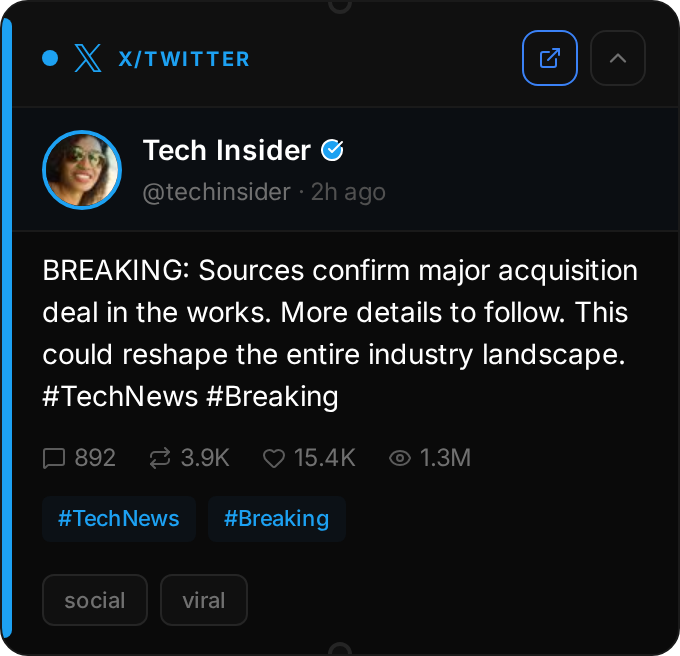
Social media posts from Twitter/X, Bluesky, Reddit, and other platforms. Social nodes preserve posts with full metadata for OSINT investigations.
Key Fields: Platform, Post URL, Author, Content, Metrics
Auto-Enrichment:
- Full post content and author profile
- Engagement metrics snapshot
- Media attachments and quoted posts
OSINT Features: Archive URL tracking, deletion detection, credibility status
Use For: Tweets, Reddit posts, Bluesky posts, social media evidence
Newsfeed
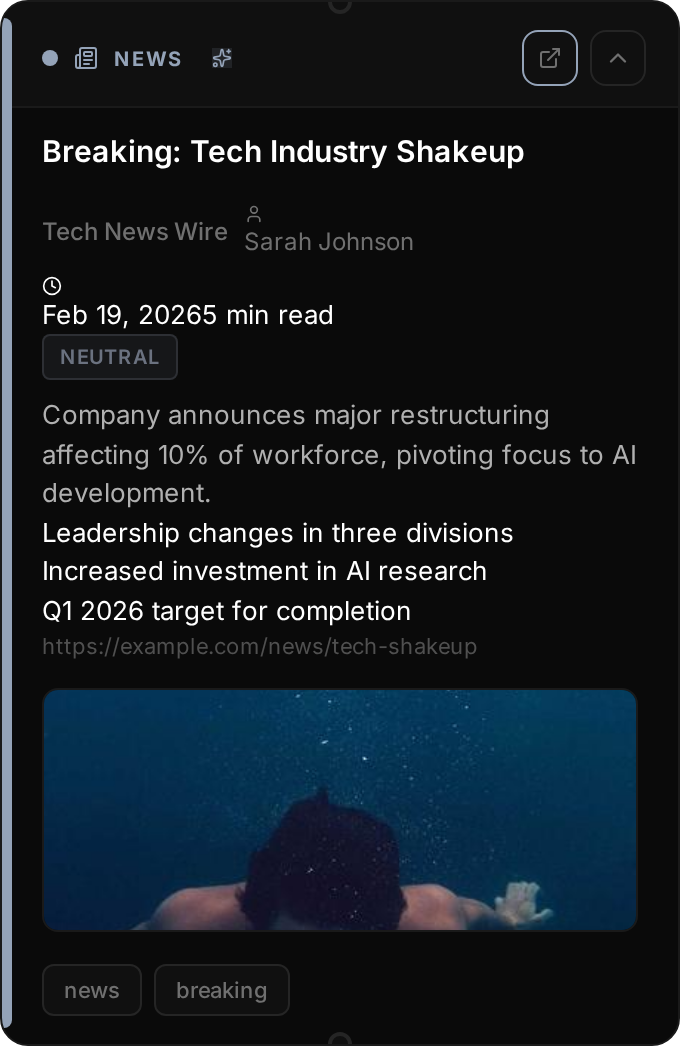
News articles with automatic content extraction and AI summarization. Newsfeed nodes turn article URLs into rich, searchable content.
Key Fields: URL (Title, Author, Date, Content auto-extracted)
Auto-Enrichment:
- Full article text extraction
- AI-generated summary and key points
- Sentiment analysis
- Hero image and site info
Use For: News articles, blog posts, press releases, investigative reports
RSS Feed PRO
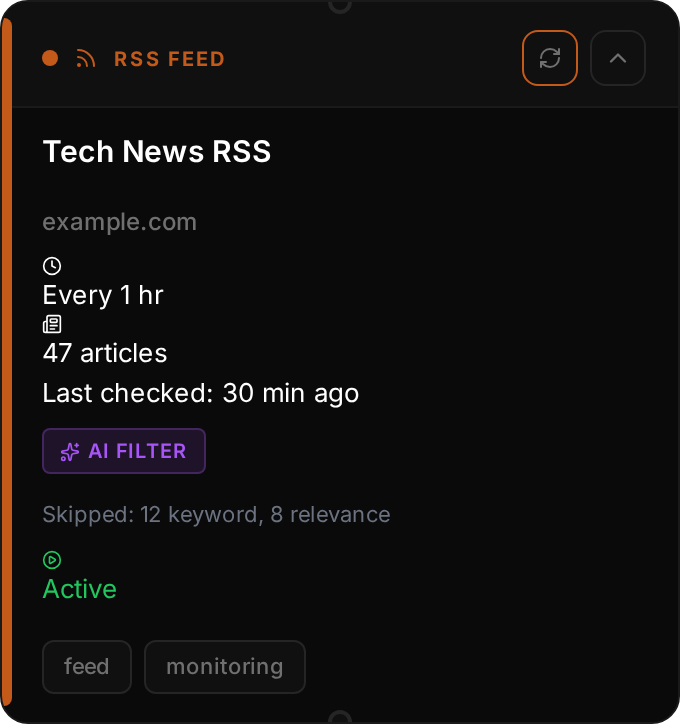
RSS feed subscriptions with AI-powered monitoring. RSS Feed nodes automatically poll sources and create Newsfeed nodes for relevant articles.
Key Fields: Feed URL, Polling Interval, Relevance Prompt, Threshold
Features (Pro):
- Automatic polling at configurable intervals
- AI Relevance Filtering - Only import matching articles
- Keyword include/exclude filters
Special Feeds: RSS/Atom, Reddit, Bluesky search, Twitter/X search
Use For: Monitoring news sources, subreddits, social searches
Narrative
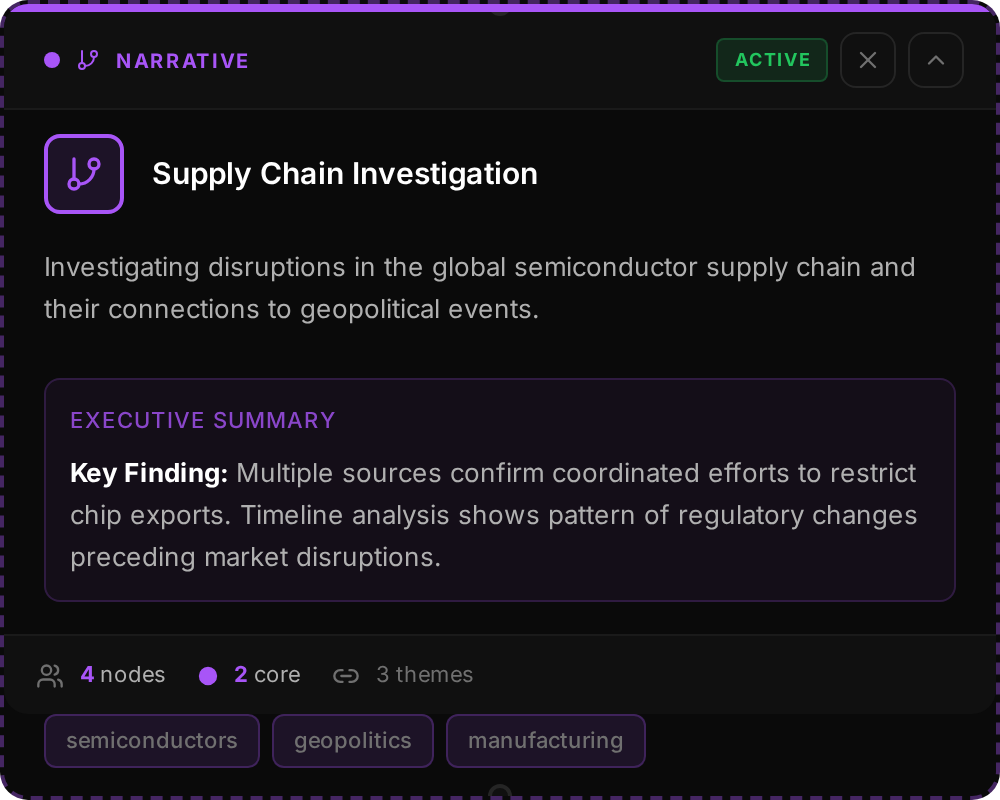
Storylines that group related nodes logically. Narratives help you organize complex investigations into coherent threads.
Key Fields: Title, Description, Status, Key Themes
Features:
- AI Executive Summaries - Auto-generated overview
- Member nodes with relevance levels (core, major, related)
- Narrative-to-narrative links (supports, contradicts)
- Color coding for visual distinction
Use For: Investigation threads, competing theories, storylines, case organization
Region
Visual containers for organizing nodes on the canvas. Regions are colored background areas that help you visually group related nodes.
Key Fields: Label, Color, Border Style
Features:
- Freely resizable
- Nodes inside move with the region
- Color coding for different topics
Use For: Visual organization, topic grouping, whiteboard-style layouts
Node Colors Quick Reference
The left accent bar color of each node indicates its type at a glance:
| Type | Color |
|---|---|
| Note | Blue (#00d4ff) |
| Event | Red (#ff3366) |
| Actor | Green (#34d399) |
| Organization | Pink (#ff44aa) |
| Location | Teal (#14b8a6) |
| Prediction | Amber (#ff9500) |
| Document | Yellow (#facc15) |
| Media | Purple (#aa55ff) |
| Embed | Cyan (#00ffff) |
| Social | Blue (#3b82f6) |
| Newsfeed | Gray (#94a3b8) |
| RSS Feed | Orange (#c45a1a) |
| Narrative | Purple (#a855f7) |
| Region | Tan (#d4a574) |